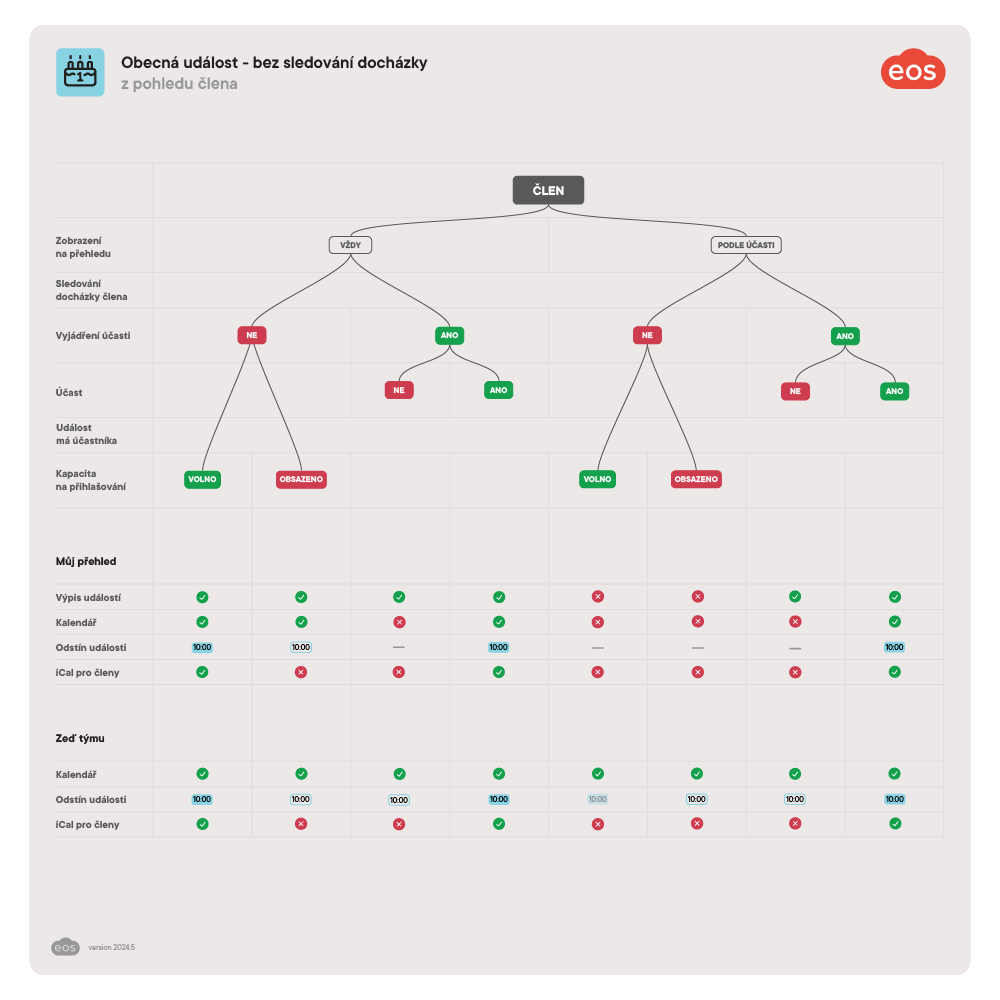
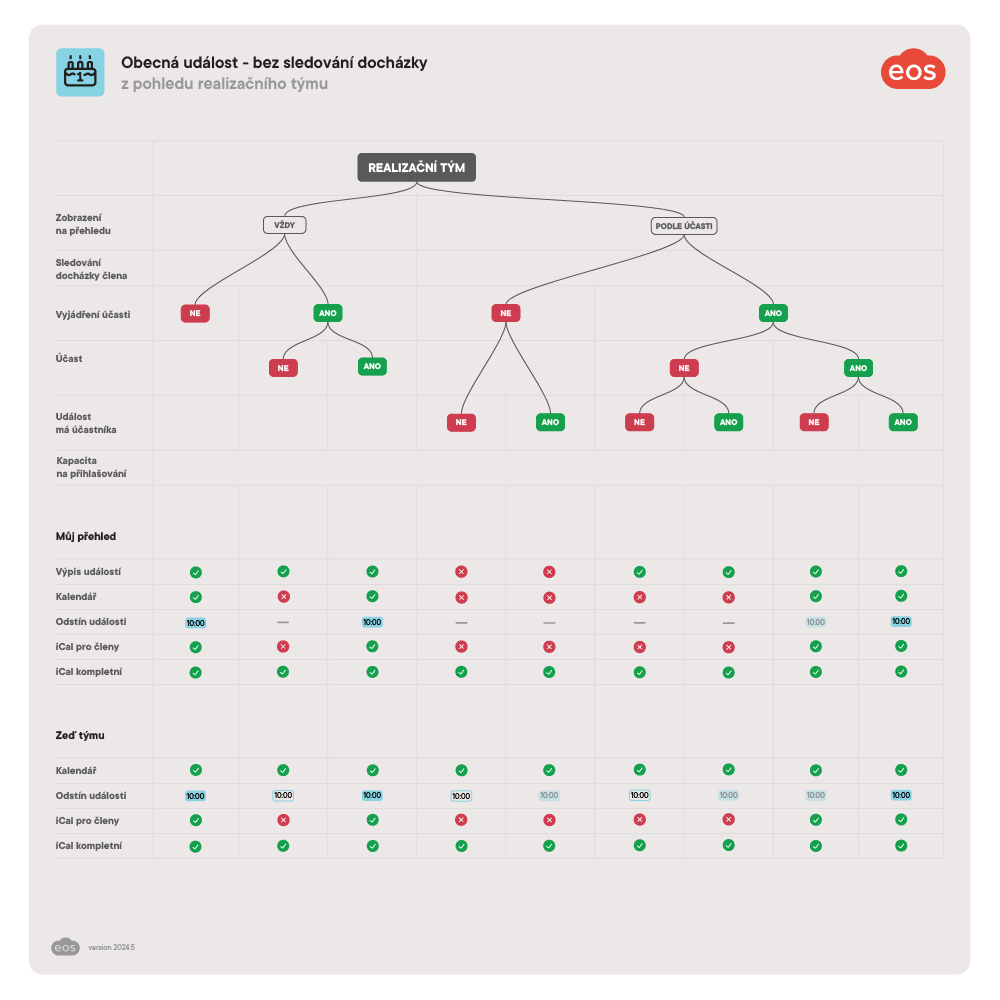
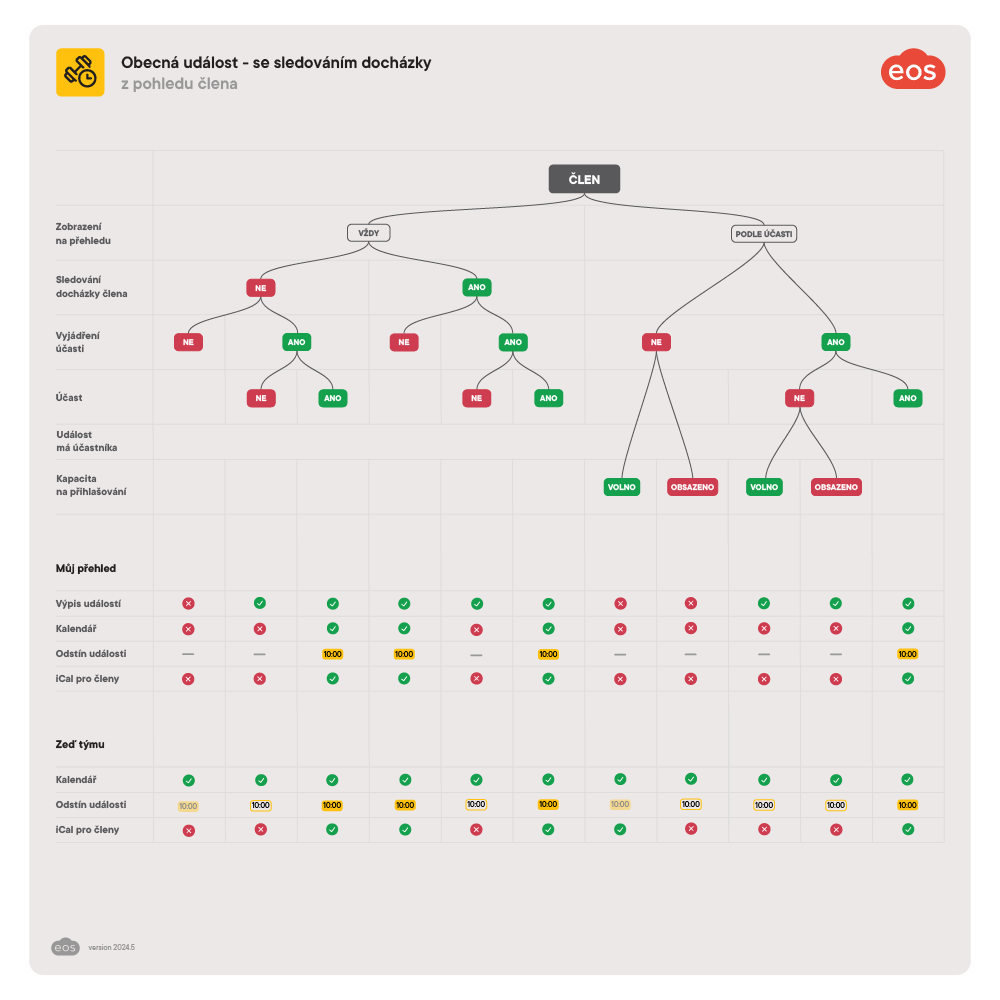
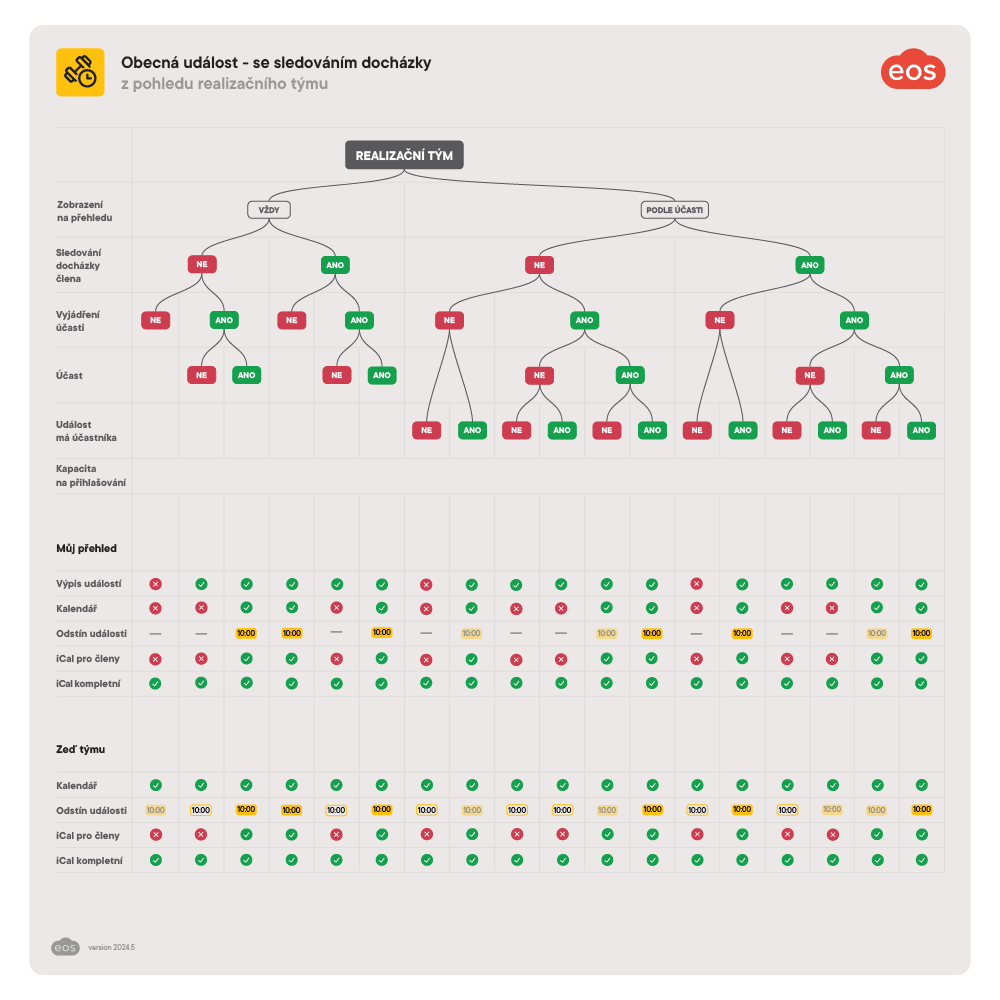
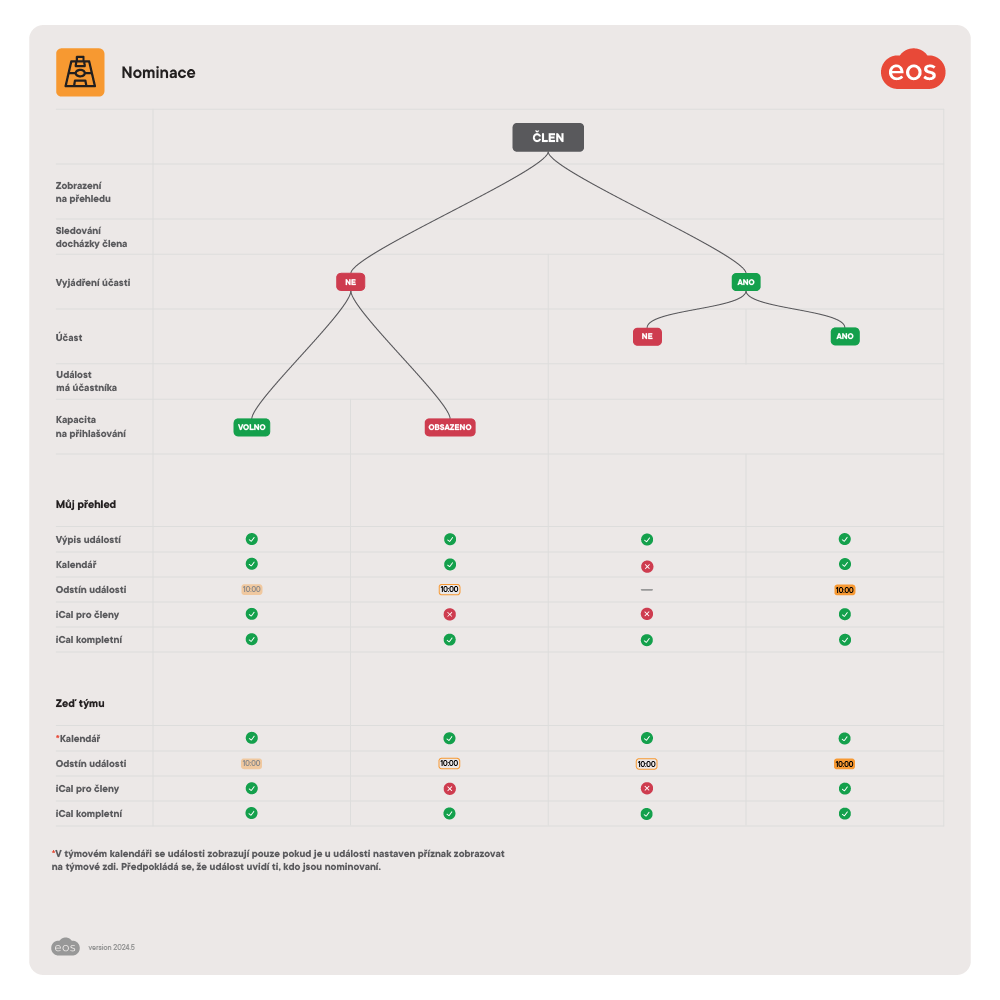
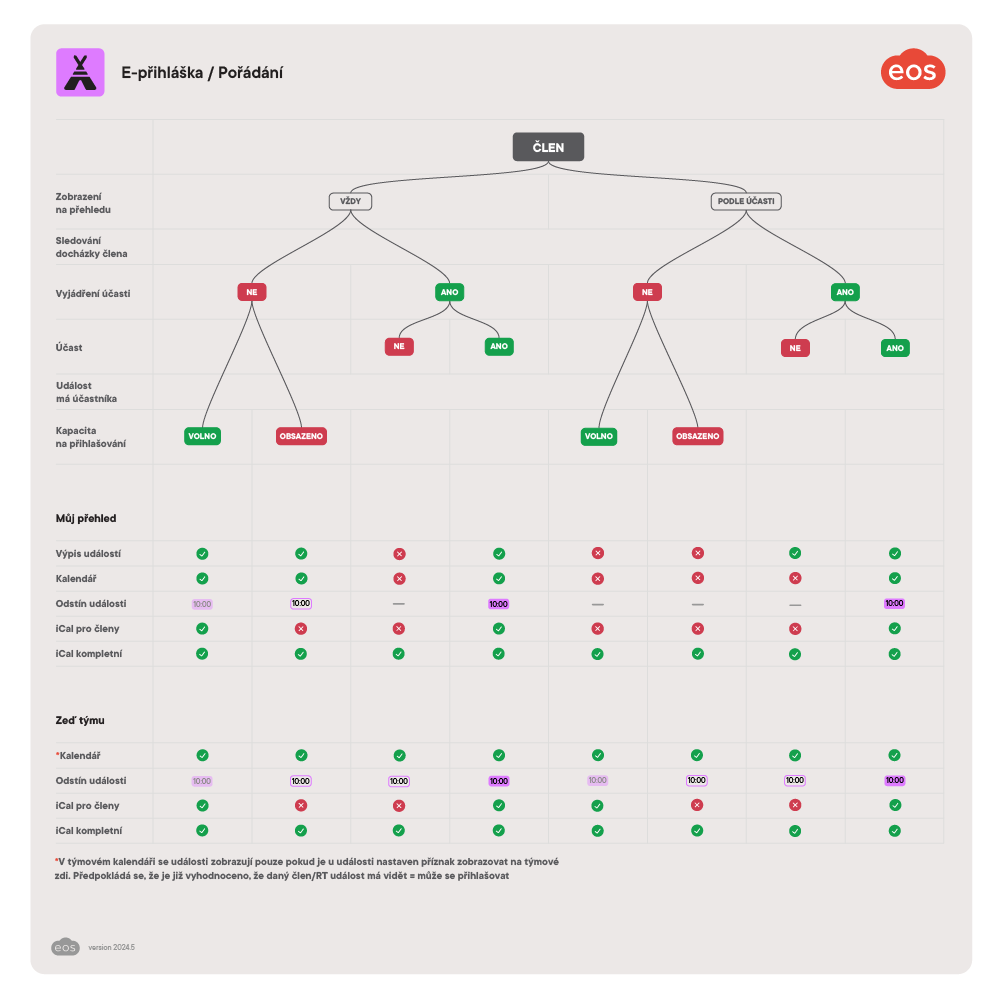
How events are displayed depends on:
whether it is a member calendar (My overview) or a team/group calendar, and/or
whether it is the view of team managers (in older terminology: the coaching staff) or of a regular member, and/or
their kind (common event, e-application, nomination/invitation) and their type and its settings (common events with or without attendance, and the setting Display on the overview which determines how an event of a given type behaves in the calendar on the My overview screen of a member).
Event types
Create and set up custom event types suitable for your organization. These will be assigned to individual events, which will behave according to the parameters set in each type.
The diagrams below describe exactly how events are displayed in calendars.