
The basis is an account already correctly created in Settings > Bank accounts and cash registers.
Bank accounts and cash registers
Add your bank accounts or a cash register for cash to the payment profile so that you can then generate payments for members.
Switch to Management > Settings > Payments > Banking API.
If you already have your account created, you will see your bank among the available APIs on this screen.
Click the item with your bank and a dialog with pairing information will open.
Click the pairing button and you will be redirected to the Tatra banka interface.

For individual banks, Tatra banka has its own guide here.
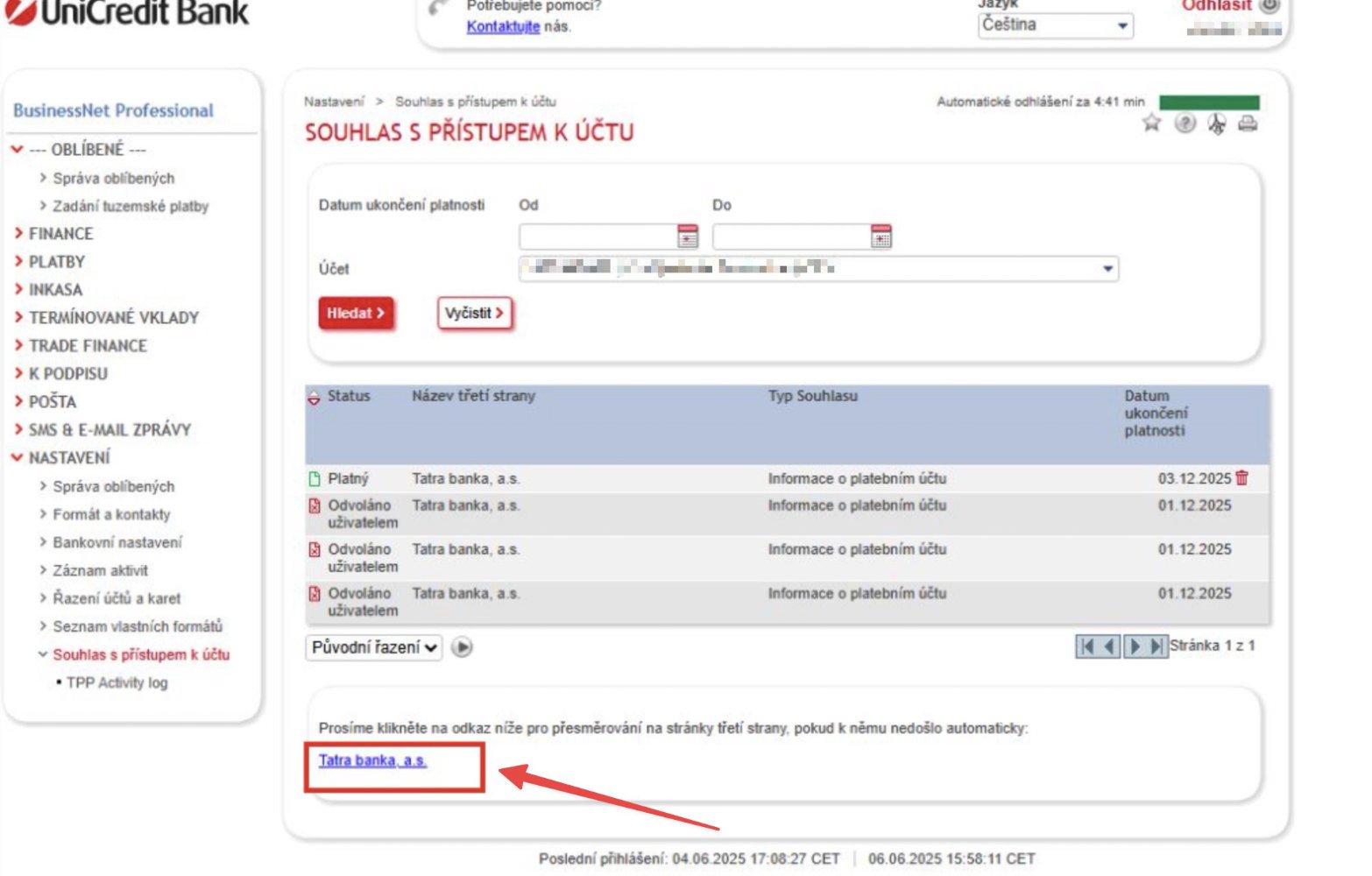
You do not need to open an account at Tatra banka, you only activate the service for a non-TB client and create service administrator access only. In your UniCredit banking you then grant Consent to access the selected account(s).
After granting the consent, the redirect back to TB should happen automatically.
If it does not, below the list of your accounts there is a link to Tatra banka a.s. through which you activate the connection.
In EOS, switch to Management > Settings > Payments > Banking API.
Under Active APIs you will see an item with the name of your bank and information on whether the connection is authenticated.
Click Assign bank account and select the relevant account.
More information about API connections, including frequently asked questions, can be found in a separate article.
Banking API
The EOS platform can be connected via API to practically all banks in European Union countries for automatically downloading transactions and pairing them with created payments.
