
Where to get calendar links
You will always find the link to the calendar URLs right below the given calendar – either on the My overview screen or on the team wall, depending on which calendars you want to connect to your calendar app. Calendars are synchronized using a calendar subscription in iCal format.
Which calendars can be exported from EOS
There are several options and it depends on which events you want to be shown in your other calendar.
Your personal calendar (events you are supposed to attend) – available below the calendar on the My overview screen, where you manually tick the teams whose events you want to synchronize.
All events of your teams (regardless of whether you attend them) – available below the calendar on the My overview screen under the My calendar for team managers option.
Individual team calendars – available below the calendar on the walls of specific teams
How to set up a subscription in a calendar app
In any calendar application, find the option New calendar subscription or Import calendar via URL.
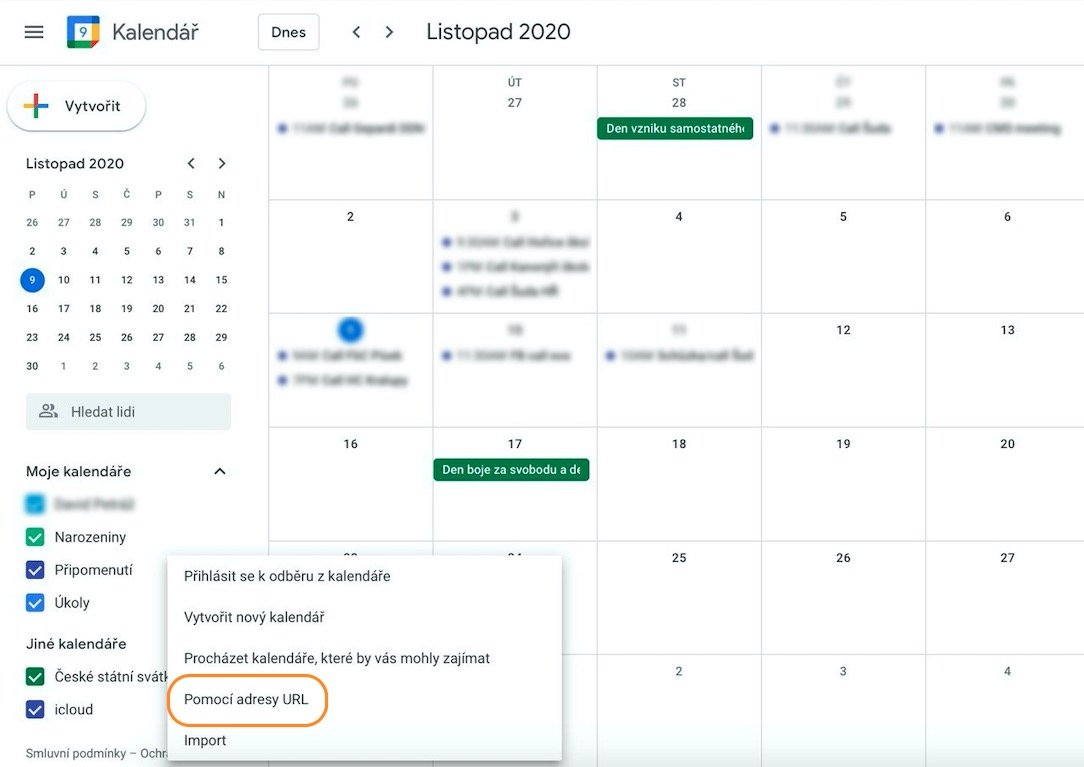
Insert the URL obtained from the calendar in the EOS platform.
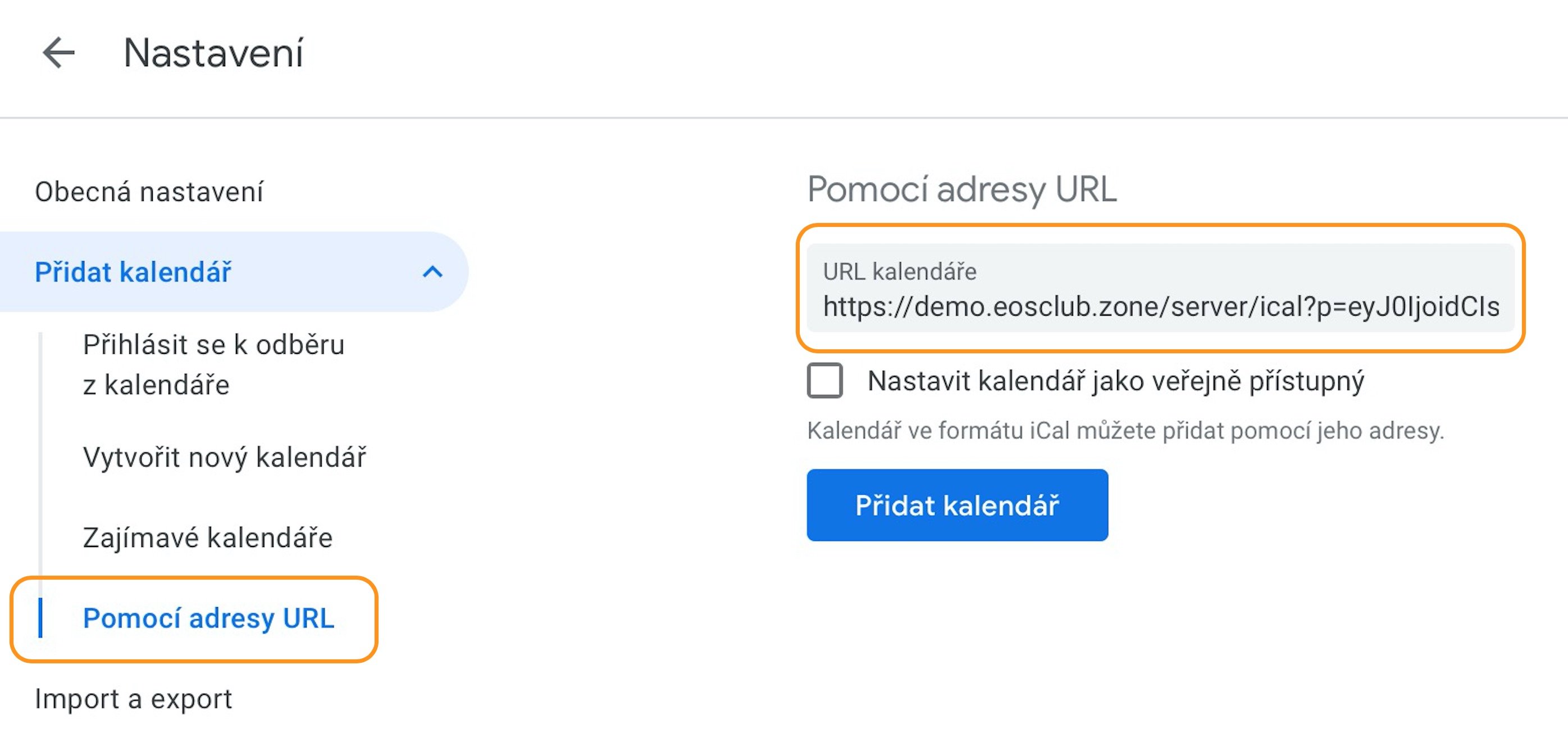
Once you confirm the subscription/import you are done, and events from the Member zone will be shown in your calendar and updated automatically. In the case of a subscription to the personal calendar they will even reflect your attendance status, i.e. they will automatically disappear from the calendar if you decline the event.